* All the code you need: PHP calendars, WordPress plugins, CSS animations and effects... CodeCanyon’s library is huge! Whatever kind of scripts and plugins you need, you’ll find plenty in our collection. * Know your plugins: Not sure if that JavaScript form is right for you? Check out item reviews left by other users. Plus, you can use collections to save and share your favourite files while browsing.

Translate

800X90_01 800x90-Anim
Showing posts with label plugin. Show all posts

WordPress Automatic Plugin


Auto post from Walmart to wordpress. Wordpress Automatic Plugin can import Walmart products to Wordpress with complete support to Woo-Commerce so posted items can get posted as woo products.

Automatic ads insertion. you can specify two ads slots to be inserted automatically to the posts.

Campaign based. you can setup unlimited number of campaigns with different keywords & different post options and these campaigns will work together to post to your site.

Post to specific category. you can set what category to add the new posts to one category per campaign.

Post using a specific author. you can choose the new post author one author per campaign.

Post keywords as tags. plugin can post keywords as wordpress tags.

Custom post types support . plugin can post to your custom post type like woo-commerce product.

Auto hyperlink keywords . plugin can automatically hyperlink specified keywords with your affiliate link or any specified link.

Automatically set wordpress featured image. plugin can auto set post featured image from the first image in the post content.

Cache images to your server. plugin can cache images to the server and change their links to your site link.

Choose must exist words and phrases. you can specify words that must be in the wordpress post content.

Execlude words and phrases. you can set words and phrases that must not be in the wordpress post content.

Translate the content before posting . you can set the plugin to automatically translate the content before posting using Google translate, Microsoft translator, Deepl or Yandex translate. You can set it to translate it twice to get unique content.

Automatically add custom fields to new posts . you can set the plugin to add custom fields to the posted posts automatically these fields can contain any info from the post added like title, author , content, image, price, rating .. etc. Allowed tags are listed automatically to choose from and differ for each campaign type.

Auto search and replace support. The plugin can search the content before posting for your specified words and replace them.

keyword suggestion. Writing the first letters of the keyword lists all keywords starting with this letter to choose from.

Support for automatic content spin using the best spinner. the best spinner (thebestspinner.com) takes the article and replace synonyms using its synonyms database to create 100% unique article.

Support posts templates. the content of the post can be formed in different formats by using tags like [post_content] , [post_title],[product_price].. etc. supported tags differ for each campaign and listed atutomatically to choose from.

set & forget cron job. to post every specific interval you specify for each campaign in the form of (days/hours/minutes).

Internal cron job. wordpress automatic supports posting automatically based on the internal wordpress cron job.

Two post status. you can set new post status to draft or published.

Unlimited keywords. you can add unlimited keywords per campaign. when the campaign start being processed these keywords will be used one by one to get the content so if the first keyword is exhaused or no more having matches the second one will be used.

Automatic keyword hyper-linking. automatic hyper-link matched keyword with specified link

Spintax enabled. like {awesome|nice|helpful}. you can use this form in the post content and only one word will be chosen in the final article randomly.

Automatic link stripping. option to strip all links from the original content before posting.

Wordpress multi-site network support. plugin can be installed in multi-site wordpress installation and function properly in each zombie blog.

Mobile Native Timeline Applications - For WoWonder Social PHP Script


WoWonder Timeline is A social timeline application for WoWonder social network, with WoWonder Timeline users can Post & Interact with users feeds and like and comment and more , now using the application is easier, and more fun ! 

WoWonder Timeline is easy, secured, and it will be regularly updated. 


(2) Package includes

Android Version + IOS version on next Update

Requirements:


Minimum Android Target is V 5.0 , For High Performance & speed on Android version 6.0 & Up 
WoWonder v1.4.4.5 or higher. 
Cloud hosting not recommended 


Application Features

  • Login Pages: Added ability to login normally and via 6 different social communities.
  • Welcome Page : Added ability for users to choose between register and login on welcome page.
  • Register Page: Added ability to register an new account.
  • Forget Page: Added ability for users to recover their account via email address.
  • Registration steps: Added ability for users to upload there Avatars and display recommended users.
  • Walkthrough Pages: Added ability to advertise chat application during Registration steps.
  • Timline Page: Added ability to see all kind of posts Text, Pictures, Videos, Maps, Feelings, and more .
  • Friends & Follow System: Application Supports friends system like Facebook, follow system like twitter.
  • Native Injection:: Added ability for users to see likes and wonders and delete and interact with post nativly.
  • Add Post Page: Added ability for users to add new post as text or image or video or activities and feelings.
  • Post Privacy: Added ability to control post Privacy.
  • Friends Page: Added ability to display all users friends on one page .
  • User Profile Page: Added ability for users to open users profile and timelines and get there information and feeds.
  • Comunity Page: Added ability for users to display liked pages and joined groups on one page .
  • Search Page: Added ability to search for users & pages and groups with ability to add or like or join during the search.
  • Search Filter Page: Added ability to filter search results via Avatar or Status or Gender and more.
  • Profile Picture: Dynamic profile picture for users.
  • My Images Page: Display all posted photos with users comments and likes.
  • Market Place: Added ability for users to get latest products and contact there owners.
  • Add Product Page: Added ability for user to add there own product attached with images & informations and price.
  • #Hashtags: Displays trending and related topics shared by users.
  • @Mentions: Use @username to tag people in a status or messages.
  • Saved Posts: User can save posts to view them later.
  • Delete & Edit Posts: User can delete and edit his own posts.
  • Save Posts: User can save posts to view them later.
  • Liked pages: Added ability for users to like pages and get pages feeds and action buttons .
  • Groups: Added ability for users to join groups and get groups feeds and informations.
  • Messages system: Added ability for users to chat and send messages integrated with the WoWonder Messenger v1.5.
  • Pro members Profiles: Added ability for users to see pro members types on each user Profile.
  • Notifications Page: Added ability to display all notifications with Events such as like , shared, commented, etc.
  • Push Notifications: Added ability for users to get notifications for users activities and more.
  • Friend Requests: Added ability to accept or cancel friend requests.
  • Trending Hashtag: Users can see last trending hashtags on left slider.
  • Premoted Pages: Users can see last promoted pages on left slider.
  • Pro Members: Users can see promoted members on left slider.
  • Pro Upgrade Page: Added ability for user to upgrade his account to pro member.
  • Settings page Added ability for user to control his privacy and settings.
  • Acount Page: Added ability for users to control there account password & username and email.
  • Help Page: added ability for users to see and read some help or about us.
  • Blocked users:: Added ability for users to unblock or block there friends and users profiles.
  • Notification settings: Added ability for users to control notifications (Led color & Sound and Vibrate) .
  • My Profile: Added ability for users to change there avatar & cover & informations and social links.
  • Handling Offline: Added ability to handel offline mode and bad connections. .
  • Cache system 60% of data is cached on mobile device.
  • Handling Image : Added ability to handle image download and cache load for more performance and speed .
  • Material design: Applicatiom responsive 85% in all kind of platforms Mobile, iTab, Tablets and more.
  • Toasts & Alerts: Added ability to display alerts , Toasts , success , errors, loadings , and more.
  • Integration: Added integration with WoWonder Messengers and Desktop Application and Main php script.
  • Empty State pages: Added Empty state pages and offline pages with easy customization.
  • Settings Class: Added abilty to easly install and customize and change application langush
  • Articles Add ability for users to read articles or blogs
  • Animations : add Animations on pages and items
  • Sync Phone contact Added Sync Phone contact list and check for available users phone numbers.
  • Certificate Chains: Added Certificate Chains && Secure Protocols for High secured servers.

WooCommerce Product Filter


WooCommerce Product Filter 6.1.1

WooCommerce Product Filter is all in one filter for every shop! It’s a must have for any WordPress and WooCommerce Online Store owner. This plugin extends your store by adding advanced filters that both you and your customers will love. Take your business to a higher level with this brilliant plugin. WooCommerce Products Filter fits responsively with every template. Just install the plugin, setup basics in the WooCommerce>Settings>Products Filter and your WooCommerce Product Filter will be ready to use. With WooCommerce Product Filter your customers will find what they are looking for in the fastest and easiest way possible. WooCommerce 3.0.0+ Ready!

WooCommerce Product Filter Features

  • 6.0.0+ Meta Filters! Custom fields filters and the most awesome instock/outofstock variable product support!
  • Filter by any criteria! Price filters, ordering, taxonomy filters, meta filters attribute filters, per page, in stock filters, sale filters and search filters are available. AJAX is supported too!
  • Awesome admin User Interface! Setup your filters with ease using the Filter Presets Manager! All the options at your fingertips
  • Full Filter Term Customization! Customize all your terms, use thumbnails, colors, different checkbox layouts, selectbox and more!
  • Range Filters! Available for prices and taxonomies including attributes! Use numerical ranges in your filters
  • Adoptive Filtering! Show only remaining terms within your filters narrowing down the filtering criteria
  • Filter Analytic! Find out what your users are searching for! Adjust your products to customers needs
  • Sidebar and Widget WooCommerce Product Filters! Full support for all themes in sidebar mode!
  • Register and Automatic Updates! Get instant updates via Wordpress in a single click! Just enter your purchase code in the Product Filter Registration
  • Translation Ready and full WPML support! Fully translated in English, German, French, Spanish, Italian and Dutch language!

Unlimited Filters and Filter Layouts!

With this awesome plugin you can filter products by any criteria. With WooCommerce Product Filter search products by Categories, Attributes, Characteristics, Tags, Prices, Stock and Taxonomies. Each filter criteria is configurable, so that you get maximum control over what your customers are filtering and the results they get. Many supported layouts, One Row, Multiple Row, Masonry, Filter Sidebars, Fullscreen Filters. WooCommerce Product filter is Create unlimited filter presets and use them with the Product Filter shortcode or to override your Shop/Product Archives filters. Use this specific filters in product categories, shortcodes or widgets.


Awesome User Interface

WooCommerce Product Filter has unlimited filter settings available in the super friendly drag and drop Product Filter Manager. WooCommerce Product Filter is seamlessly integrated with WooCommerce interface. You won’t believe how much it offers you in terms of flexibility and usability. WooCommerce Product Filter comes with various, very modern style options which you can combine further in order to suit the needs of your particular web based shop. At your disposal are a lot of general styles, check-box styles and appearance options. Customization using CSS is an absolute pleasure so you will be able to achieve wonderful results with very little coding skills and perfectly integrate the WooCommerce Product Filter into your web shop.

Filter and Term Customization

This long awaited feature is finally here. The WooCommerce Product Filter just got a whole lot more awesome! Customize each of your filters by using the Filter Style Customizer. Display your filters as Text, Image, Thumbnail, Thumbnail with Text, Select Box or insert custom HTML. Unlimited layout possibilities are now available. Unlimited styles, colors and thumbnails. With Term Customizer you can customize your term values like filtering by price or setting products by page. Filter by Prices, Stock, Taxonomies, Sale Filters, Custom Taxonomies, Attributes, Tags, Characteristics and more! Choose which terms to show, how they are to be ordered, hierarchy, with multi select ON or OFF and with filtering IN and AND, enable or disable adoptive filtering, select term relations, use images for presenting your variations (like color or size, etc) and many more.

Adoptive Filtering for Best Results

Extremely useful option supported in WooCommerce Product filter is that you can enable Adoptive Filtering. Adoptive means, that if you have active filters, remaining terms within your filters will take notice of that. Choose between hiding the non existing terms or to show them in different styles. Using the Adoptive Filtering cleverly can make your filter suit your site in just seconds. This option places the plugin high above the competition on the market. Get more information on the Adoptive filtering in the WooCommerce Product Filter guide video.

Widget Filters in Sidebars

If you are using Product Filter in web shop sidebar, it’s available, Product Filter Widget is also included. All filtering styles, filters and range filters are supported in the WooCommerce Product Filter Widget too. Product Filter Widget supports loading a filter preset for the widget, AJAX, as well as adding custom actions for redirecting the filter results to specific pages in your shop and all other feature the original filter offers. Product Filter widgets will seamlessly integrate within your sidebar. Control your products directly from the widget areas, add WooCommerce Product Filter Widget to your site!

AJAX Product Filter and AJAX Widget

If you don’t want the filter to reload the page each time a filtering action is performed, you can also use the incredible AJAX load function, so that the filter results are displayed instantaneously, right before your customers eyes. AJAX loading is ultra fast in both shortcode, widget and using the Shop/Product Archives. Everything is at your fingertips. Please note, that AJAX is not supported in all themes. Consult the Documentation on the plugin or the plugin author to confirm that the AJAX will be available for your needs.

Filter Analytics for All Web Shops

See what your visitors are looking for in your Store! Detailed filtering analytics give you complete overview of the terms being filter with the WooCommerce Filter plugin. An invaluable term for any Shop Manager and business! Improve your store experience and earn more money! Find out easily, presented in fine graphics what your customers want the most. Suit your goods and products to your customers lickings.

Range Filters for Prices and Taxonomies

Range filters are now available in the WooCommerce Product Filter. Select price range or attributes or taxonomies ranges to filter products. Customize and use range filters for prices and attributes in four different styles – White, Flat, Modern and HTML5. Further, easy customization is possible and the awesome documentation has a section on this too! Range filters support ordering methods and special, suffixes, prefixes which combined can be used for numerical ranges of all sorts!

Variable Products and In Stock/Out of Stock Filter

Variable Products are fully supported. WooCommerce Product Filter works with your product variations and displays the featured images for current active filters. In Stock and Out of Stock for variable products is also supported! Browse only In Stock products while ignoring the unavailable Out of Stock products. Use these filters with the product variations and their attributs. When filtering certain attributes, such as sizes or colors, variations can be Out of Stock. This WooCommerce Product Filter takes care of that too!

Translation Ready!

No problem if you are running your web shop in various languages! WooCommerce Product Filter is fully translatable and WPML compatible! Check the WPML site to confirm this https://wpml.org/documentation/plugins-compatibility/


iPad and iPhone Support

iPad and iPhone are fully supported. Large or small, desktop or handheld WooCommerce Product Filter is fully compatible! WooCommerce Product Filter improves the product editing experience on a tablet or a phone dramatically.

Register and Get Automatic Updates!

Enter your purchase code to register the WooCommerce Product Filter and get automatic updates with a single click directly from WordPress. Any future update made available by the author is included with every purchase. Upon a new release, get notified directly from your Wordpress Dashboard. Update the plugin from the Dashboard Plugins with the automated Wordpress functions. Always use the latest version for the best compatibility!

Superb Support That Everyone Loves!

Mihajlovicnenad.com will provide superb support for its WooCommerce Product Filter plugin. By default regular license provides 6 months of included support, which can be extended to 12 months. You will have availability of the author to answer questions and get you assistance with reported bugs and issues. Thanks!



Mihajlovicnenad.com Premium WooCommerce Plugins

    
WooCommerce Product Filter
The best, all in one WooCommerce product filter on the market!
    
WooCommerce Frontend Shop Manager
Live product editing, directly from your website!
    
Warranties and Returns for WooCommerce
The awesome affordable alternative! Best value!
    
Improved Variable Product Attributes for WooCommerce
Improve your variable product selection! Add selectors on product archives!
    
Improved Sale Badges for WooCommerce
30+ custom sale badges with unlimited settings!
    
Share, Print and PDF Products for WooCommerce
Share your products, print them and download them in PDF format!
    
Vecty – SVG Product Grids and Timelines
Awesome product grids! Masonry is supported!

Interactive World Maps


This is a Wordpress plugin to create as many maps as you want, with interactive and colored markers, continents, countries or regions.

Fully compatible with the brand new WordPress v4.7 and Visual Composer!

Show Different Regions

You will be able to show hundreds of different kinds of maps, already included:
  • A map of the entire world.
  • A continent or a sub-continent. (Africa, Europe, Americas, Asia, Oceania and all their sub-continents)
  • A country. (virtually all the countries in the world are included, featuring the most requested: USA, United Kingdom, Canada, France, Germany, Spain, Italy, Brazil, India, Australia…)
  • A country divided by its regions. *
  • A state in the United States.
  • The United States divided by metropolitan areas.
  • A state in the United States divided by metropolitan areas.

Color Regions or add Markers

You can add active colored regions to the map, and display them in 2 different ways:
  • As Regions – It will color the whole region, for example a continent, subcontinent, a country, a country province, or a US state.
  • As Markers -It will display a colored bubble in the chosen regions, that can be a city, a state or a country.

Add Interactivity

You can add interactivity to the active regions:
  • A Tooltip- A tooltip will be displayed by default on hover with the information you provide.
  • An Action ? You can set up diferent kinds of action for when the user clicks in an active area. You can make a new URL open, or simply display a message. Advanced users will be able to create their own Javascript functions for customized actions, like opening information with a lightbox effect.

Customizable

You will be able to costumize the visual of your maps:
  • Background color;
  • Box border width and color;
  • Inactive regions color;
  • Individual colors for each active region;
  • Markers size;
  • Width and Height of the map;

Add the Maps anywhere on your website

You can use a shortcode to include the maps in posts, pages and even in sidebar widgets! You can also add the maps to your template, with a simple php function.

Responsive


If no width is specified it will load with the maximum width available in the container div. For example, it will load and adapt with different sizes for phones/ipads/laptops. However, after loaded it will not change size if you resize the window.


Since version 1.4 the plugin includes an option to make the maps fully Responsive. This will use jQuery to check if the window size changed and will redraw the map with the new available space. RESPONSIVE INTERACTIVE MAP EXAMPLE

Cross device and browser compatible

The maps are built in SVG, no flash is used and therefore they will display in Mac products.

CSS Hacks made easy

There a few features that the Google Geochart API doesn’t provide by default, but the plugin provides a ‘Custom CSS Generator’ to help implement some features like hover colour change effect, implement font icons as markers, change border colour, among others.
 Example of map using font icons from fontAwesome toolkit using some CSS tricks, available from version 1.7.3 released January 2016. Learn more about this technique.
Where to use it?

This plugin is perfect for:
  • Travel Websites – Create maps to display destinations and link to pages about a specific location
  • Traveler Website – Display a map with destinations/countries visited
  • Multinational Companies – Create maps of the cities/countries where they operate
  • Small Companies – Show the location of the business in a country map
  • NGO’s – Create maps of NGO projects around the world
  • Infographics – Display simple to read maps with various information
  • And much more other applications! Be creative!

Creative Examples


_ 
This plugin uses the powerful Google Geochart API which creates the SVG vector maps. 
_

Testimonials

«Absolutely love this plugin. Very easy to use and set up. Highly recommended to anyone looking for a mapping solution! Great job.»

«This is the easiest to use plugin. I bought the plugin to use for a client?s site that does work all over the world. They wanted an easy way to display information about their work in different countries and this made my life so simple. Well worth the money and I?ll be back to purchase for any additional clients who need this type of functionality.»

«If anyone is thinking about buying this plug-in, don?t hesitate. It doesn?t get any better than this. If you think $18 is too steep, you?ve never struggled coding maps. This is such a time saver that I?d gladly have paid ten times the asking price. In fact, I?ve paid a pretty penny for software over the years hoping to save time and aggravation when it came to making interactive maps. Interactive World Maps is a gem.»

Notes

* The maps of countries divided by regions include the main regions of the specified country. The plugin calls all of them ‘Provinces’ but in reality they could be states, regions, provinces or counties, depending of the country. They are the first level of division of a country. In the particular case of UK, it only includes 4 regions (ENG, NIR, SCT and WLS).

GrapesHeadlines - Animated Headers - JavaScript


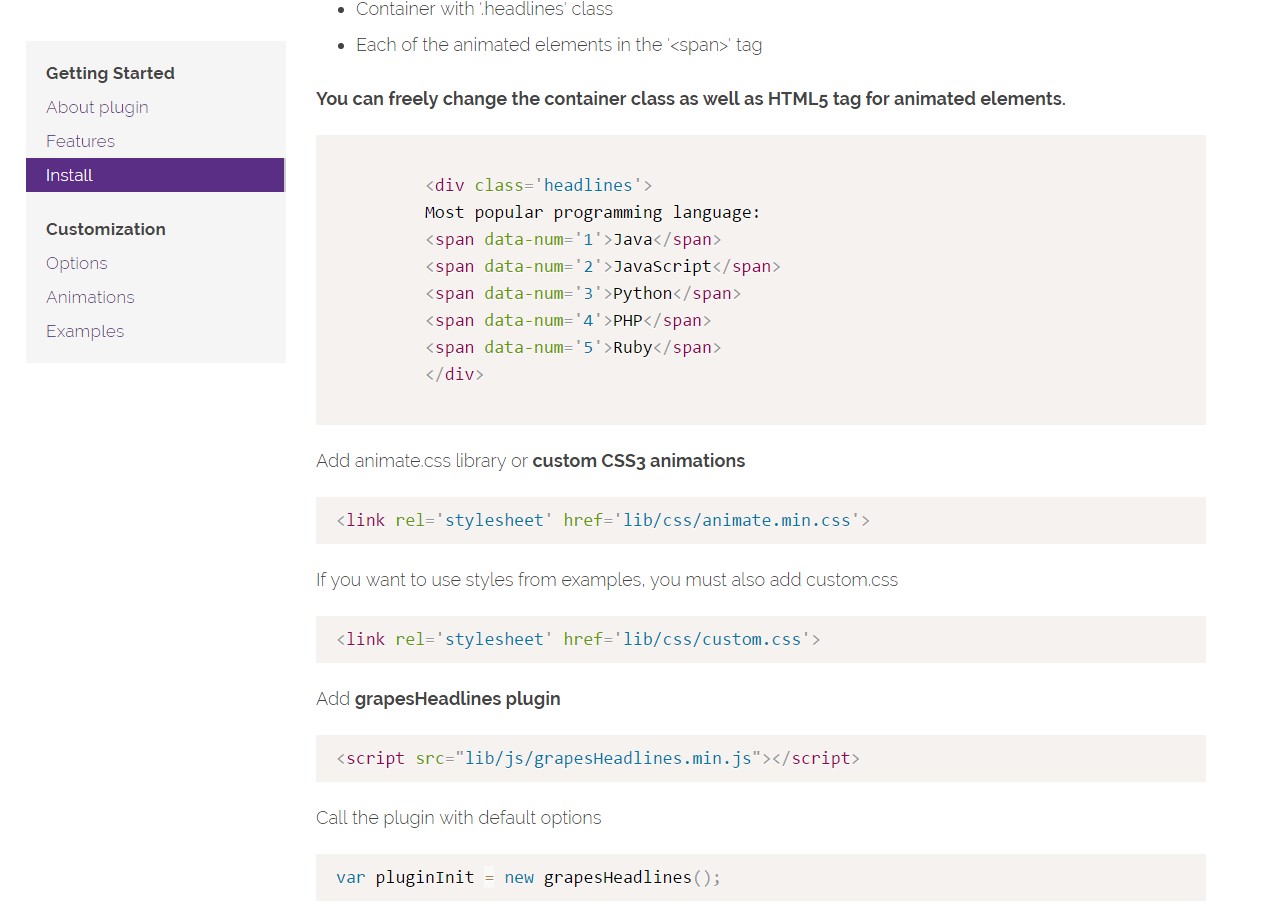
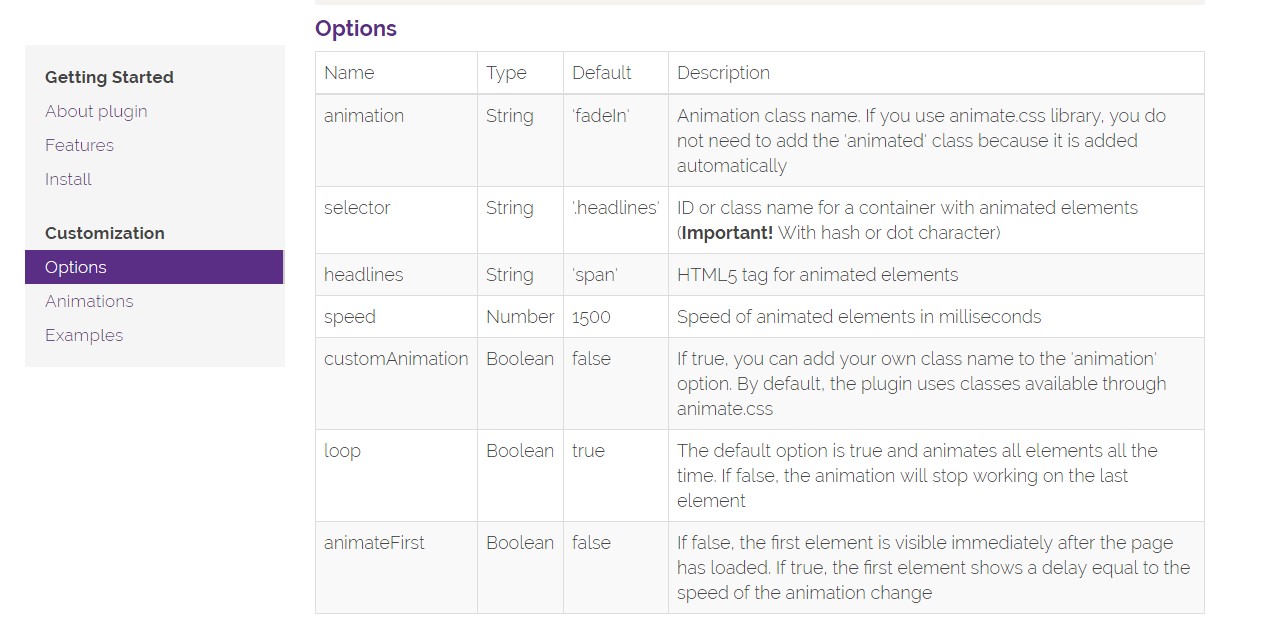
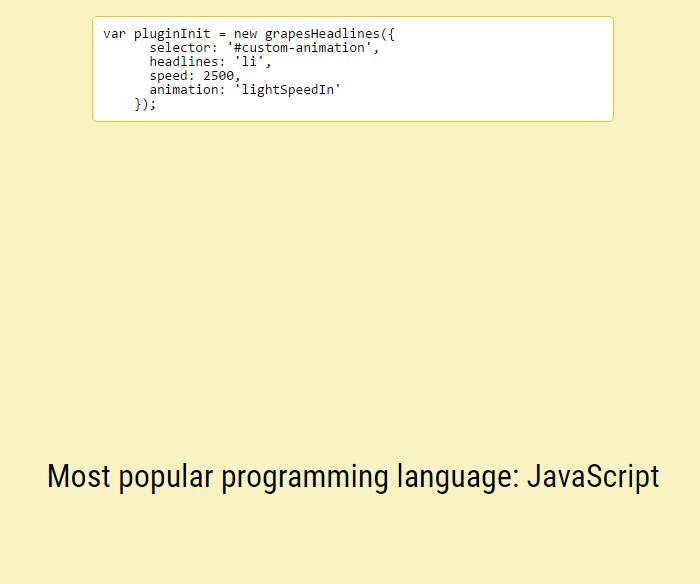
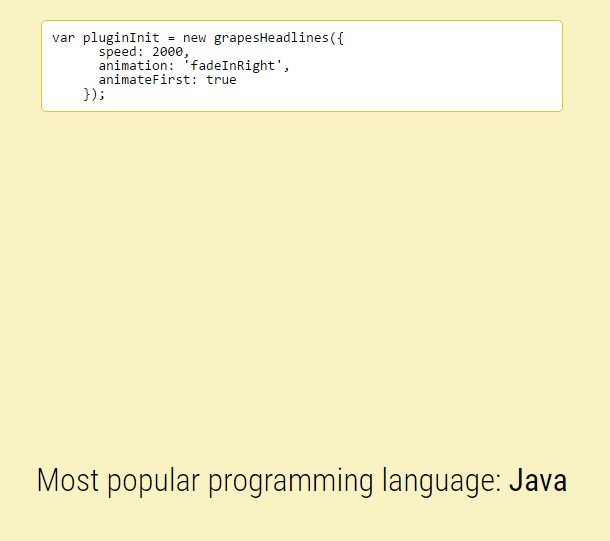
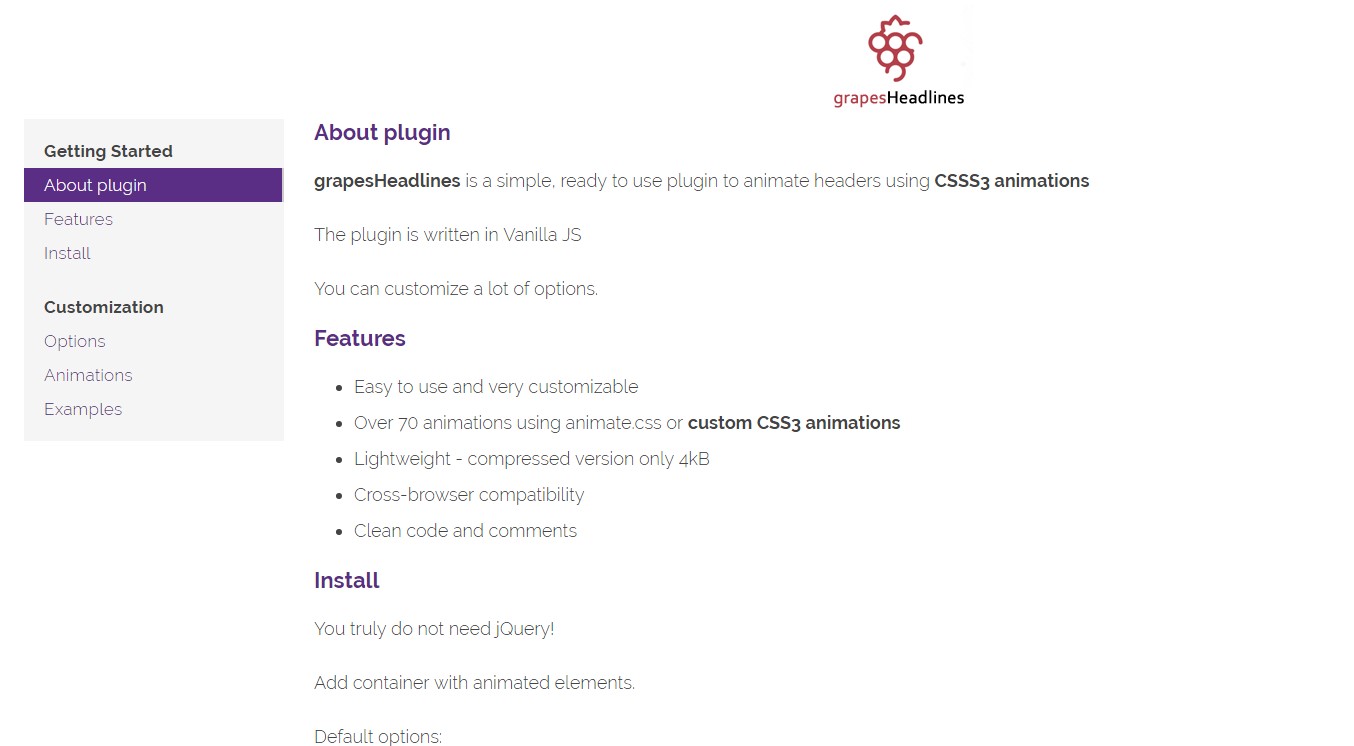
GrapesHeadlines is a ready to use plugin to animate headers using CSS3 animations and pure JS with no dependencies.

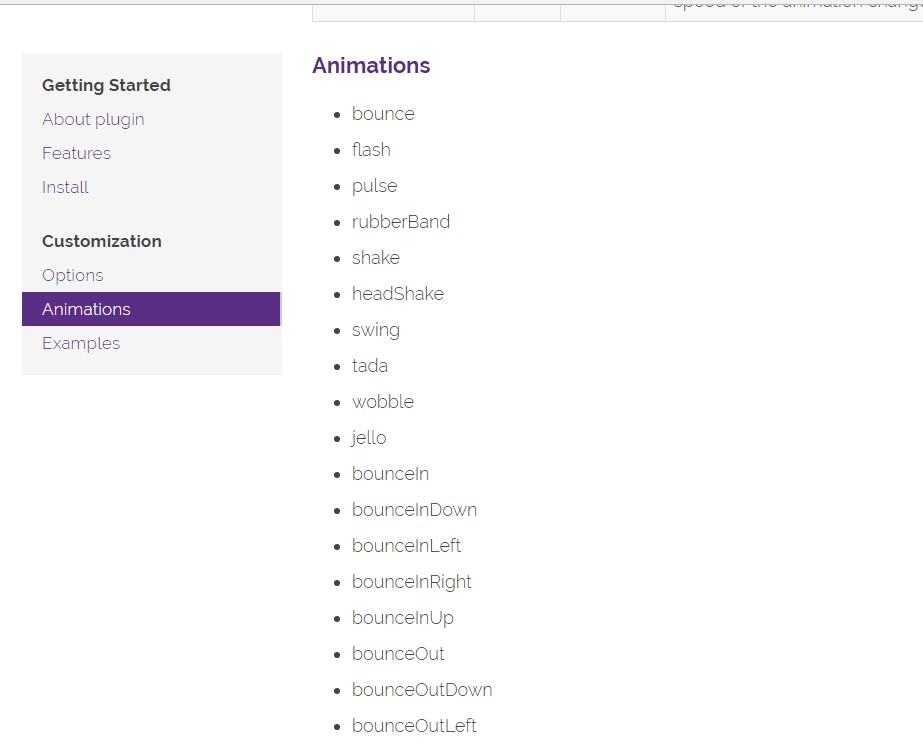
List of classes for animating headers:

  • bounce
  • flash
  • pulse
  • rubberBand
  • shake
  • headShake
  • swing
  • tada
  • wobble
  • jello
  • bounceIn
  • bounceInDown
  • bounceInLeft
  • bounceInRight
  • bounceInUp
  • bounceOut
  • bounceOutDown
  • bounceOutLeft
  • bounceOutRight
  • bounceOutUp
  • fadeIn
  • fadeInDown
  • fadeInDownBig
  • fadeInLeft
  • fadeInLeftBig
  • fadeInRight
  • fadeInRightBig
  • fadeInUp
  • fadeInUpBig
  • fadeOut
  • fadeOutDown
  • fadeOutDownBig
  • fadeOutLeft
  • fadeOutLeftBig
  • fadeOutRight
  • fadeOutRightBig
  • fadeOutUp
  • fadeOutUpBig
  • flipInX
  • flipInY
  • flipOutX
  • flipOutY
  • lightSpeedIn
  • lightSpeedOut
  • rotateIn
  • rotateInDownLeft
  • rotateInDownRight
  • rotateInUpLeft
  • rotateInUpRight
  • rotateOut
  • rotateOutDownLeft
  • rotateOutDownRight
  • rotateOutUpLeft
  • rotateOutUpRight
  • hinge
  • rollIn
  • rollOut
  • zoomIn
  • zoomInDown
  • zoomInLeft
  • zoomInRight
  • zoomInUp
  • zoomOut
  • zoomOutDown
  • zoomOutLeft
  • zoomOutRight
  • zoomOutUp
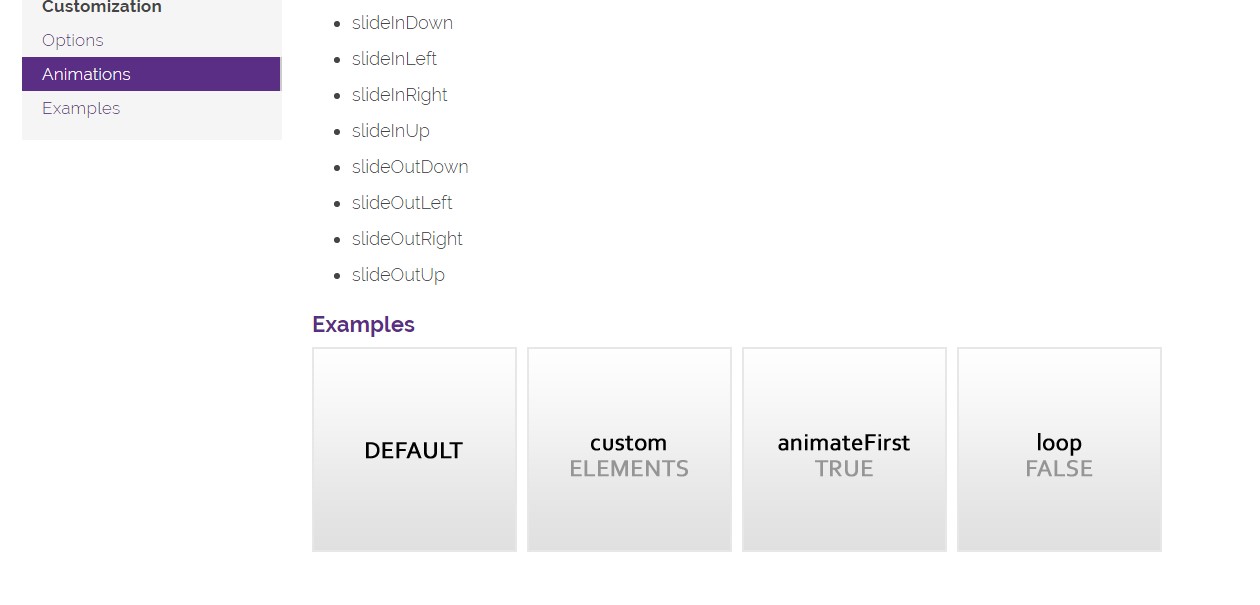
  • slideInDown
  • slideInLeft
  • slideInRight
  • slideInUp
  • slideOutDown
  • slideOutLeft
  • slideOutRight
  • slideOutUp